The title is taken from a famous song “Road House Blues.” This song is one of my favorite school-time bands – The Doors.
I guess I was anti “Windows” from childhood” – PJ 😉
Today, undertook a task of being anti-norm and letting it loose. Yesterday I wrote about my life philosophy, and how it vibes so well with Debian GNU/Linux – my primary OS.
All my life, I have aspired for stability and calm. Yet, there is also a side to me that wants to engage in chaos. I love the scientific notion of “Entropy”. While it is mostly applicable to science, I think it’s also applicable to the human existence, especially the mind. We are merely manifestations of an infinite and living universe.
Entropy is a scientific concept, most commonly associated with states of disorder, randomness, or uncertainty. The term and the concept are used in diverse fields, from classical thermodynamics, where it was first recognized, to the microscopic description of nature in statistical physics, and to the principles of information theory. It has found far-ranging applications in chemistry and physics, in biological systems and their relation to life, in cosmology, economics, and information systems including the transmission of information in telecommunication
https://en.wikipedia.org/wiki/Entropy
My renewed interest in computing around Linux led me to look for a new Linux distribution, something that would be the polar opposite of Debian stable. Typically Debian testing or Debian unstable (sid) would be the way to go. I have taken this path earlier. This time, I was in a mood to move out from Debian. I have tried Fedora and had it as my secondary Linux desktop for a while. Red Hat Enterprise Linux sponsors Fedora. It derives from Fedora for its stable enterprise Linux setup. Again, Fedora has a 6 monthly cycle. Each Fedora version becomes EOL as soon as it is T-2 generation. This makes it a chore to keep upgrading. I’ve never liked upgrading a distro. While it all works, random artefacts, settings, and some other stuff can remain behind. These remnants can spoil the experience of the new software. I like a clean install after a full data backup.
The way to go was a rolling distro. It continually upgrades with the latest software each time. There is no concept of a new release. New versions of software, like the Linux Kernel, become available quickly. They appear within a few days of release on a rolling release distro. Newer versions of desktop environments, such as the fast-paced 6-monthly released Gnome and KDE, also appear quickly.
It’s like saying that there is one version of Windows. It keeps moving from Windows 10 to 11 automatically and gradually. It then goes on to 12, 13, 14. These changes occur without each release becoming a major event.
It’s and interesting and unique concept available only in the Linux world with few Linux distros only.
Two key distros come to mind. Arch Linux and openSuse Tumbleweed. Arch Linux is like growing your own vegetables. You also manage your own livestock and poultry. Then, you cook your own food. Its supposed to give absolute granular control to the user. And users of Arch take a lot of pride of having setup their operating system by hand. Frankly, that is not for me. Like my philosophy in the Debian blog, move on from the operating system and get work done. Do not make building the OS as the primary work.
I decided to go for openSUSE Tumbleweed. Like Fedora is to Red Hat / IBM – openSuse TW is to Suse GMBH. A company based in Luxemburg offering enterprise Linux solutions in the league of RedHat Enterprise Linux, Canonical Ubuntu.
There is an interesting history of the company and its origins here == > openSuse History
On to the current day.
For the past few days, I have installed and running openSuse TW / KDE DE in a qemu/kvm virtual machine. This setup is on my Debian stable system. I got familiar with it and liked what I saw. So, I decided to install it bare metal on my desktop computer.
My computer has several SATA HDDs (Hard Disk Drives) and SDDs (Solid State Drive). along with several terabytes of external USB storage drives for data storage. One M2.NVME stick has Debian stable, dual boots with Windows 11 on the second M2.NVME stick. The rest are all attached to the SATA connectors. I toggle booting between various operating systems by using the Grub 2 boot menu of the Linux distros. The Grub 2 boot loader lists all the available operating systems on the various disks. It presents a list to select and boot to. Works like a charm.
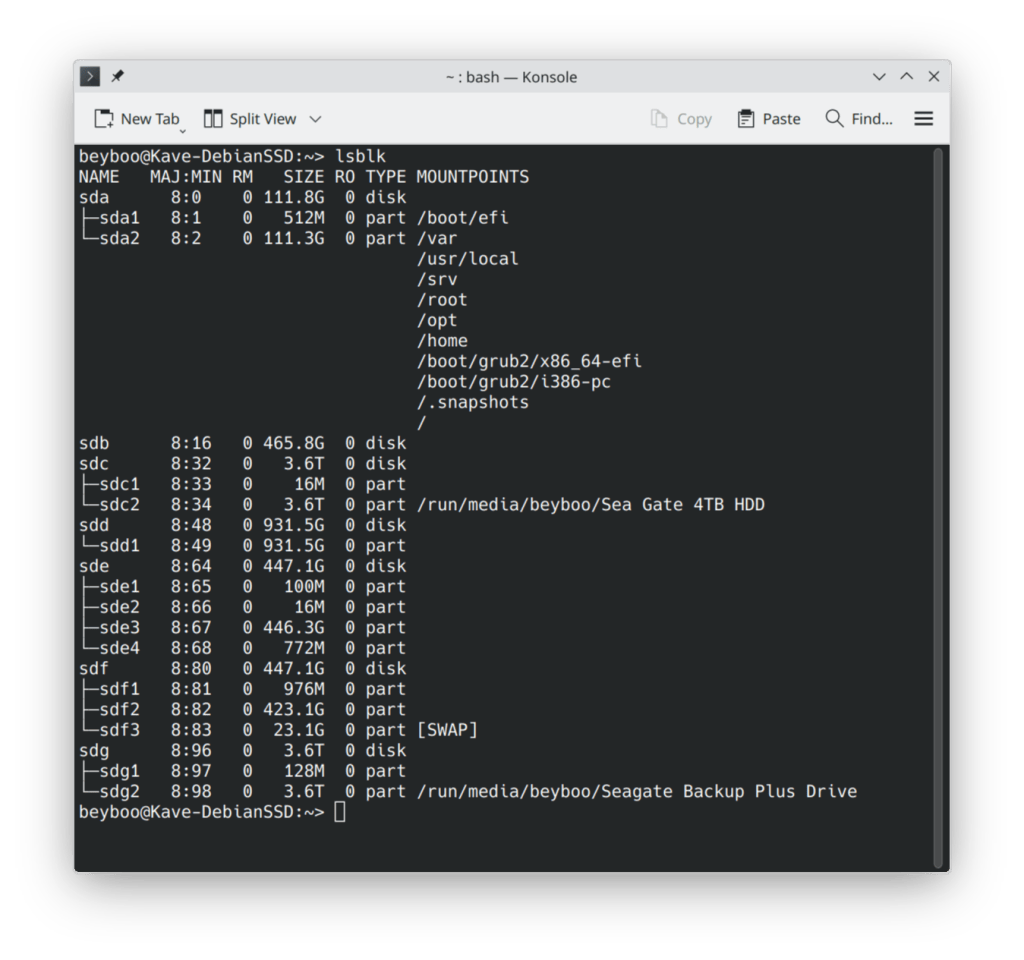
I have a Kingston 120GB SATA SSD where I do temporary bare metal Linux installations to try out. 120GB is a lot for a Linux distro to install, flourish and keep working. Since data is stored on an external storage box – the pure operating system never runs out of disk space.
So Kingston 120GB SDD disk it was.
After making a live boot of the openSuse TW latest ISO, it booted in to the installer program. It is a graphical installer which is very intuitive and simple to use, especially the disk selection for installation. It was an event less 20 – 30 minutes to install everything.
I selected KDE Plasma as the desktop environment – as this was the second aspect I wanted to change. KDE Plasma has always attracted me. Unfortunately, it never worked well for me. This happened when I installed it side by side with Gnome on my Debian, Fedora, or Ubuntu desktop. I wanted a pure KDE Plasma experience. I have also faced problems with the KDE Plasma desktop. It experienced anomalies on the display like tearing, random color lines, and ghosting. This indicates that its compositor wasn’t working well with the kernel and kernel drivers. Fortunately, I use an AMD Radeon GFX card. AMD has open-sourced its display driver. Major improvements are baked into the latest 6.17 Linux kernel. Things should go well.
openSuse TW is a rolling release. This means everything in it would be the latest versions. Therefore, KDE Plasma would be version 6.5.1 which is the latest
Finally my computer was ready to triple boot in to Windows / Debian / openSuse :B
First Boot – flawless
The desktop booted in to Kde Plasma 6.5.1 using the legacy x11 display server. It did not use the Wayland display server, which makes desktop Linux so attractive to use now.
I changed the default to Wayland after reading up on openSuse forums. After a reboot, I got a clean KDE Plasma desktop. It was super sharp and awesome.
I will use it for some weeks alternating with Debian Trixie when I want to do serious work. I will shift once I am confident about the stability of a rolling release distro. First, I will use it quite a bit casually. Then, I will use it for my critical timer-based work.
So far it all looks good. I had questions regarding package management and updates using the “zypper” command. The good folks at openSuse Reddit sub stepped in. They answered in great detail. Loved the friendly attitude of the folks out there. A shout out to the Reddit sub for being super awesome !
So, is this end of the road for my Debian love ?
Not at all – Debian is my soul, will be with me till I die. Fedora, Ubuntu and openSuse are clothes I will wear from time to time. The most awesome part about Debian is that they make software for the world and it ends there. Companies like Canonical and others build upon it as it’s allowed by the Debian Free Software Guidelines (DFSG). They commercialize their products for enterprise use. Debian has got nothing to do with it. Debian follows the “Live Free Or Die” philosophy. This was embodied by Bell Labs in its UNIX philosophy. It also the Bruce Willis movie title “Die Hard 4.0 – “Live Free or Die Hard“
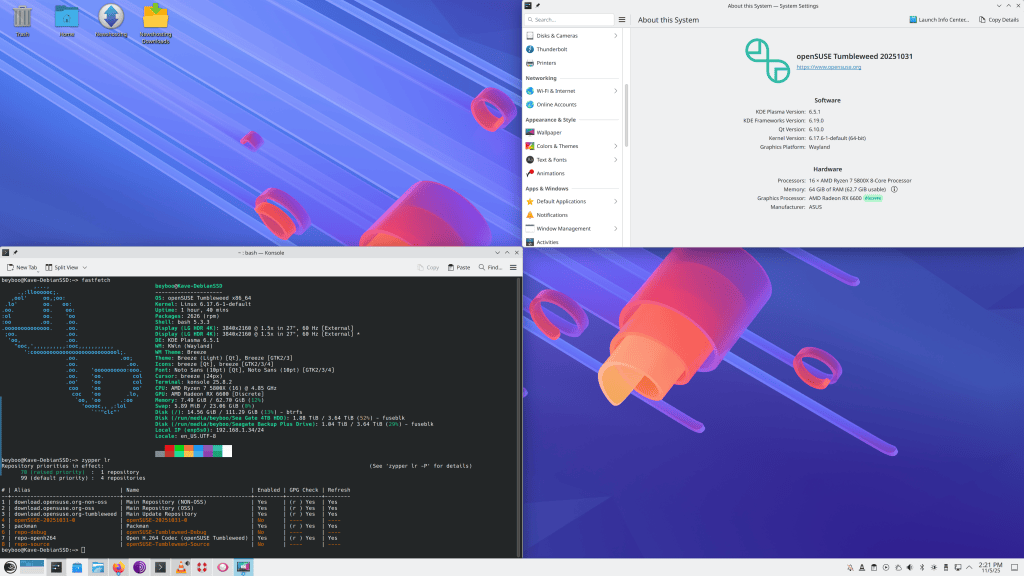
I had trouble dealing with the non-free codecs used for playing proprietery codecs based audios and videos. This is a clear point of conflict between FOSS and patented copyright based software. Most linux distros handle it by making different repositories available. These repositories are not supported by the main core distro. Instead, they are best efforts community supported. This is a good approach to avoid copyright lawsuits by deep pockets enterprises who hold these patents. opensuse TW is no exception. There is a repository called packman. It needed some extra work. For a Linux user, this is not a surprise. Adding this support to the Free linux core distro is pretty simple. It has well documented step-by-step instructions to install the good-bad-ugly gtreamer components, H.264 and many more codecs support. Once installed the default VLC player easily played all formats of downloaded movies and audio files. This is only relevant to desktop workstations. I doubt anyone will run a GUI desktop environment on a critical web or database server, let alone watch movies. Such mission critical setups are usually headless – remote controlled terminal only setups.
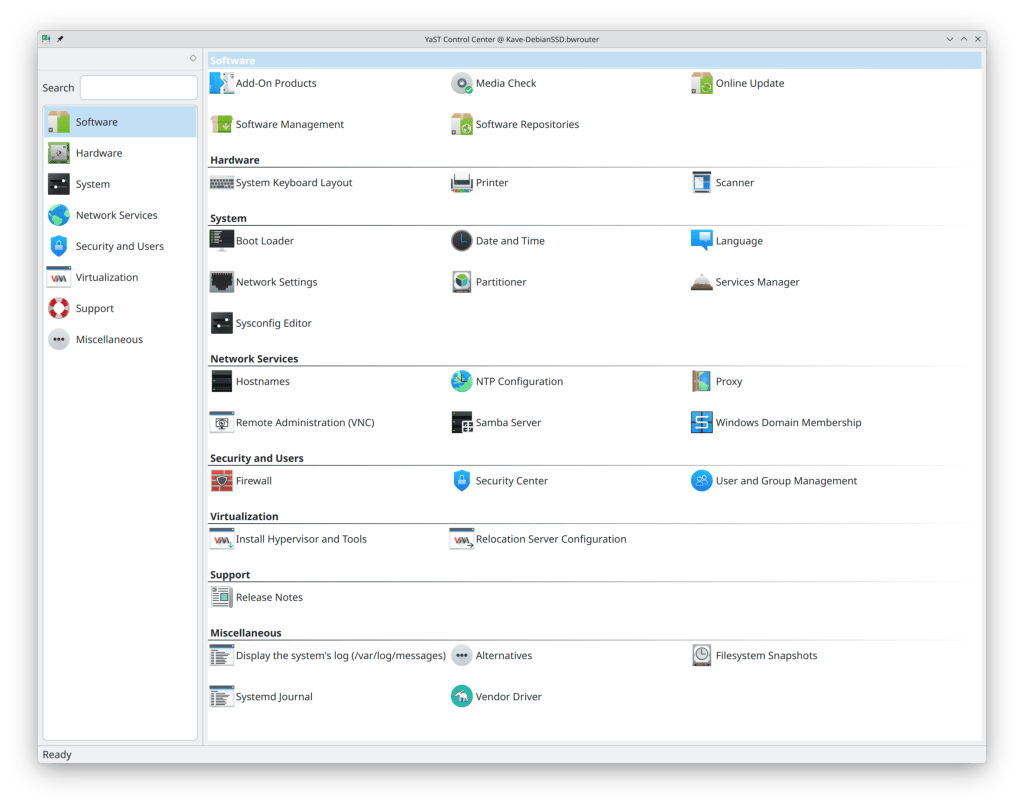
One special mention is the YaST tool. It is unique to openSuse. The tool makes controlling and changing various system-level configurations very easy. It is much like the Windows control panel where everything is centralized in a Graphical GUI. I am very impressed so far in all its capabilities.
If you found this to be a heavy blog and survived reading it, here is a treat for your eyes. Enjoy a treat for your ears too!

